Prioritized issues with fixes
A score plus errors, warnings and notes, each with a plain-language reason and the exact code or setting to change. Fix steps adapt to WordPress (Yoast, Rank Math), Shopify, Wix, Webflow, Squarespace and Next.js.
 indexwise
Free Chrome extension for on-page SEO
Indexwise checks the page you're on and tells you what's wrong, why it matters, and exactly what to change. Every issue comes with a copy-paste fix, written for your platform.
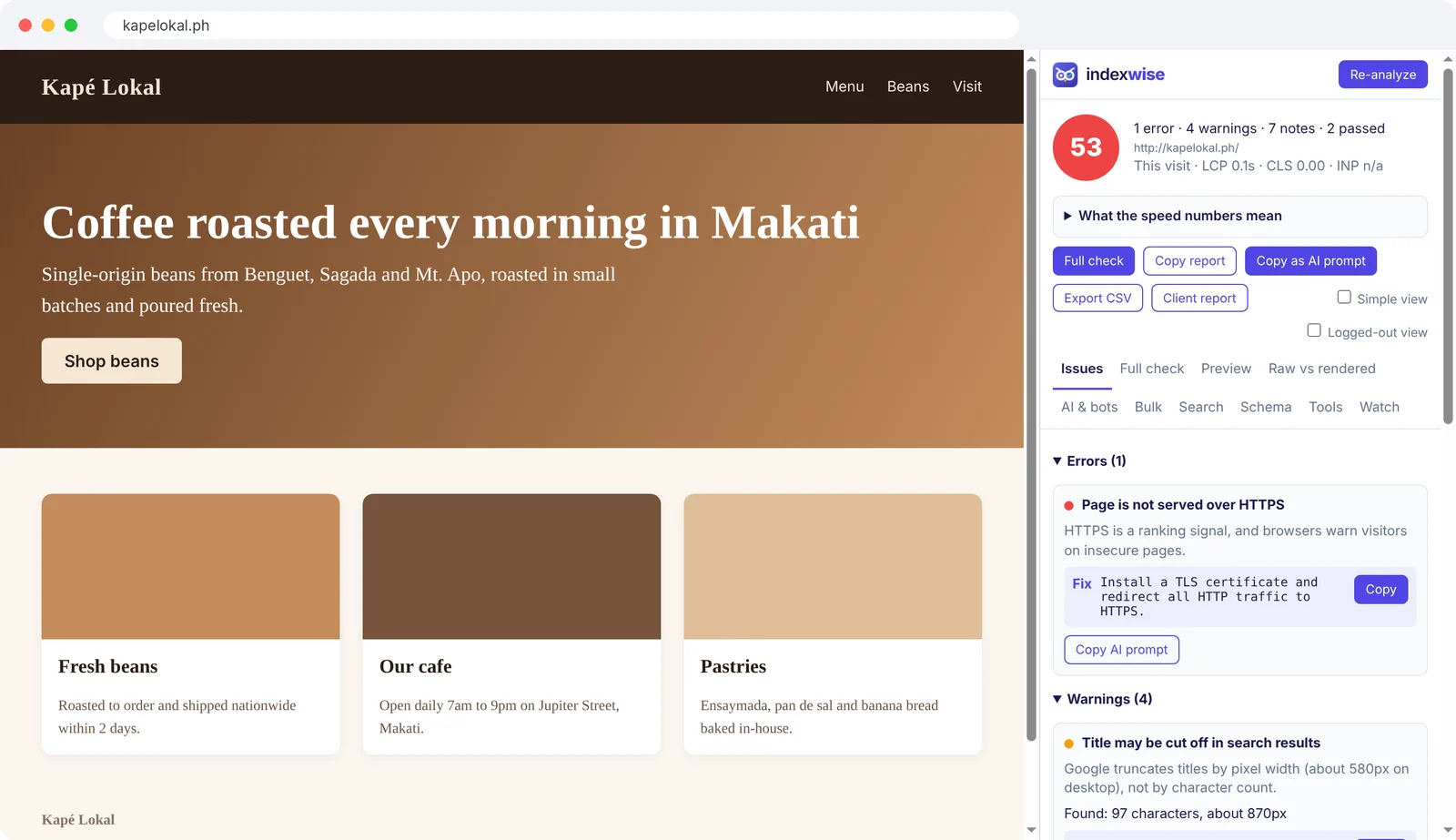
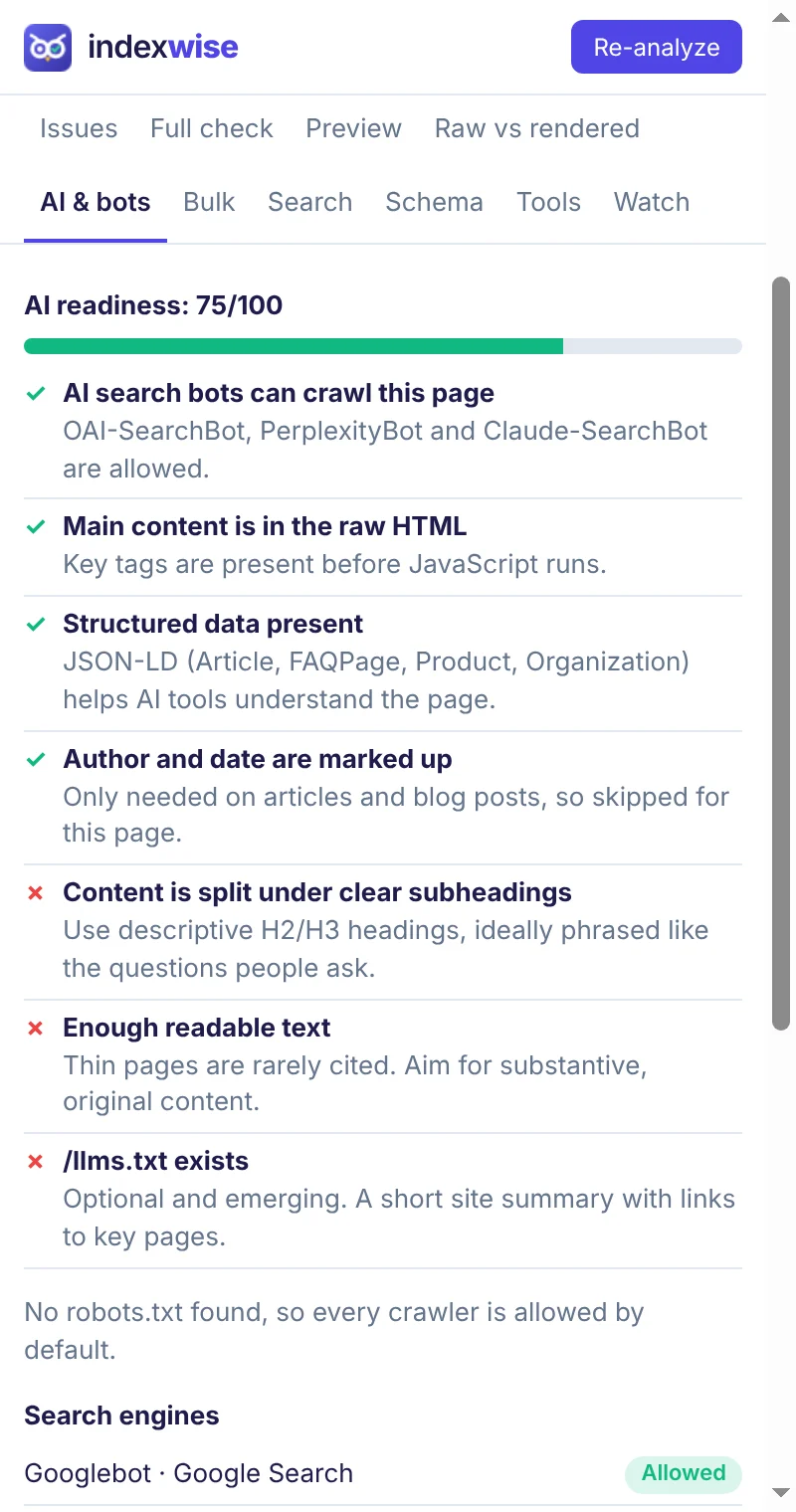
Real screenshots of the side panel, taken on a sample page.
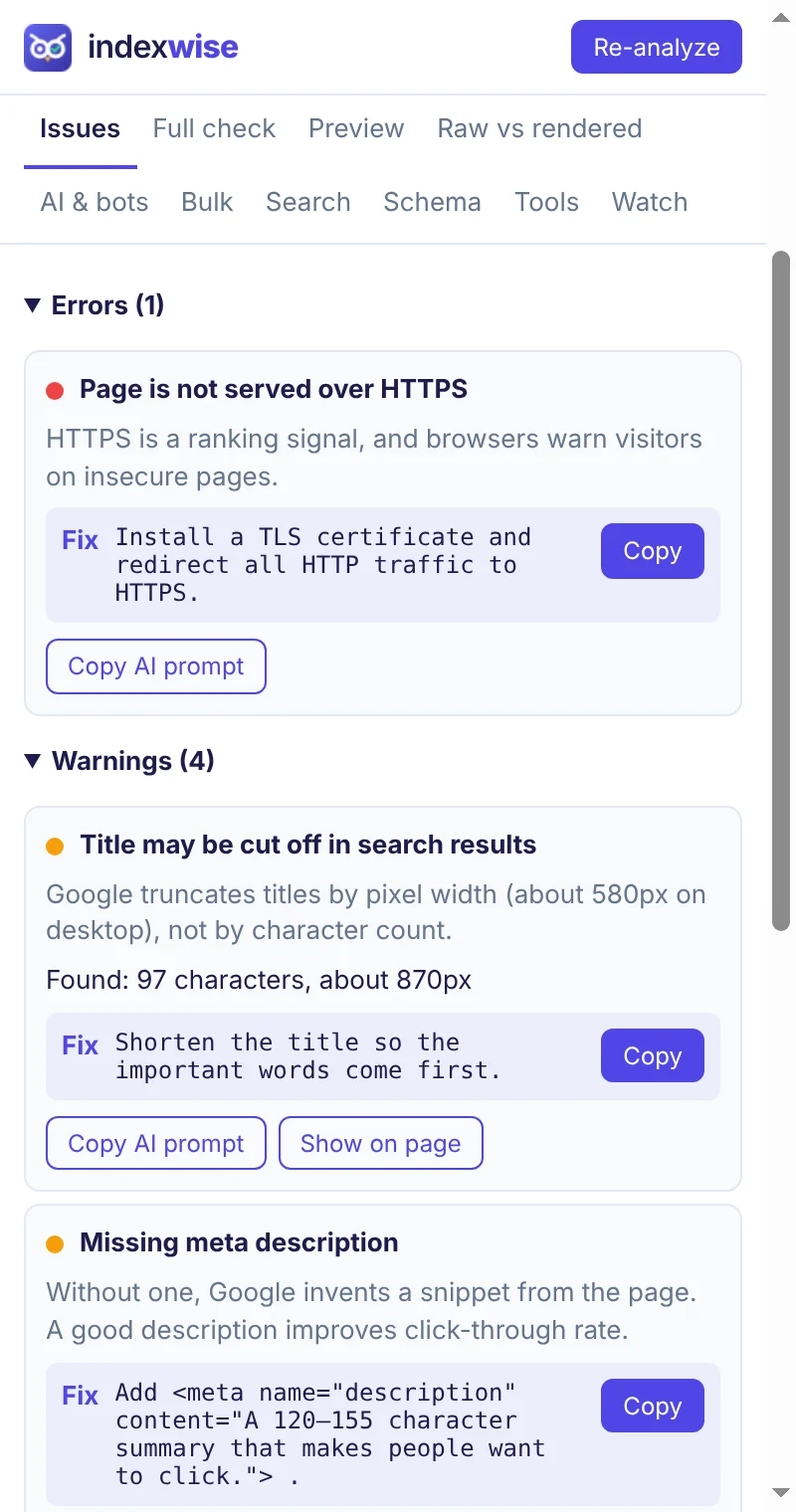
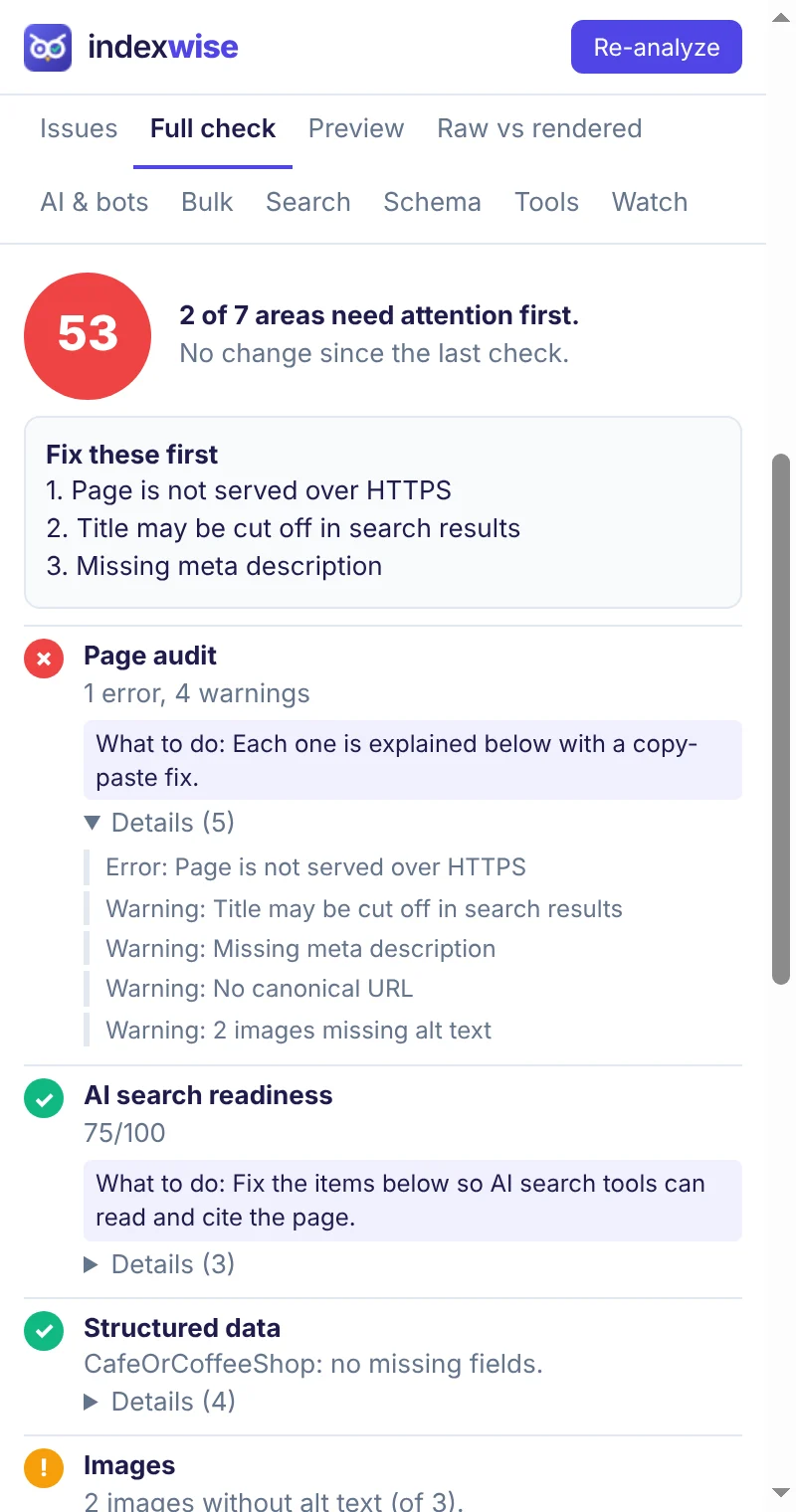
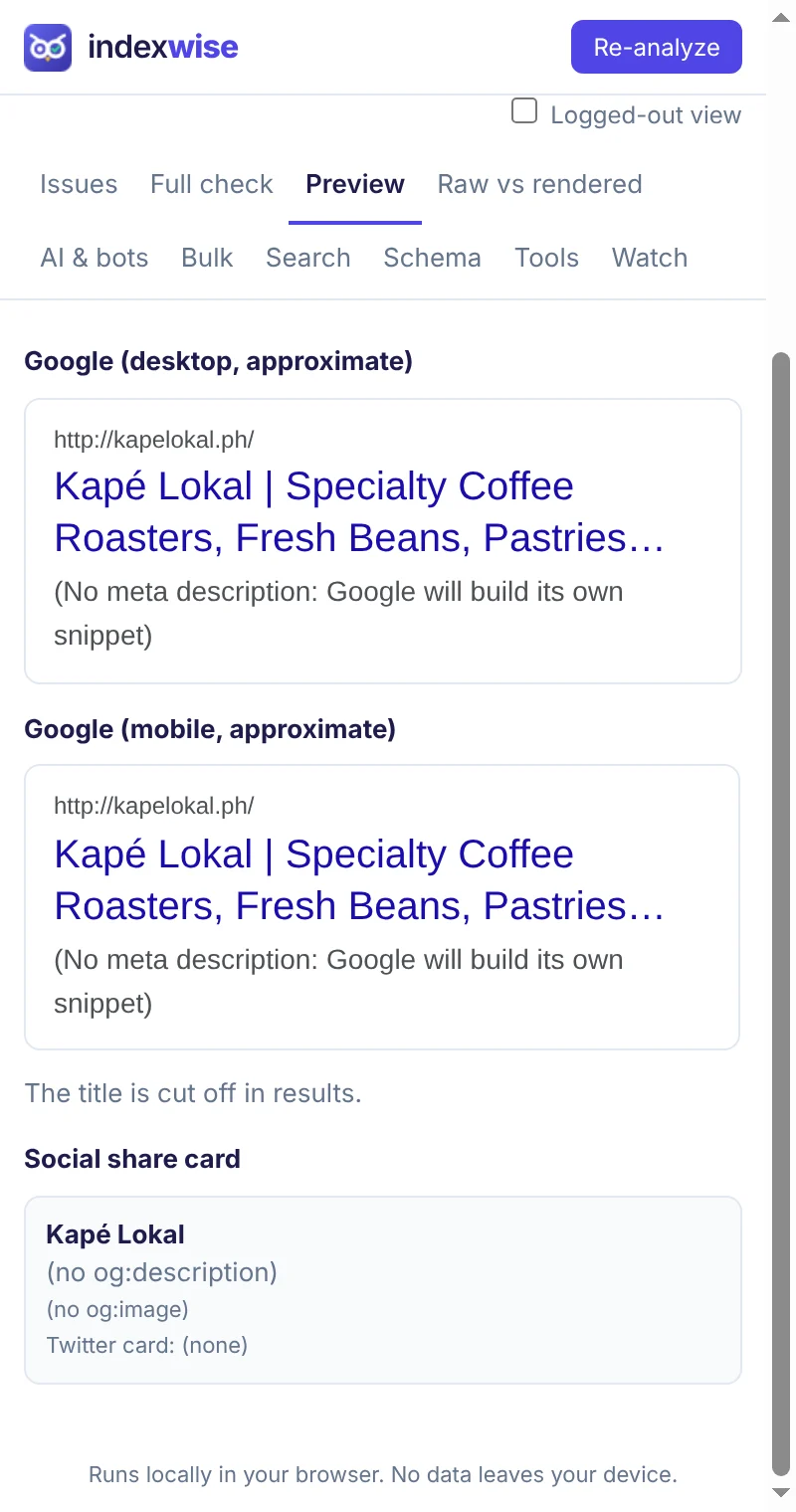
A score plus errors, warnings and notes, each with a plain-language reason and the exact code or setting to change. Fix steps adapt to WordPress (Yoast, Rank Math), Shopify, Wix, Webflow, Squarespace and Next.js.
Noindex tags and headers, robots.txt, canonicals, hreflang, HTTPS and mixed content. Indexwise also compares the raw HTML with what appears only after JavaScript runs.
See at a glance whether Googlebot, Bingbot, ChatGPT search, Perplexity, GPTBot, ClaudeBot and others are allowed in, and whether you have an llms.txt.
One button runs every check and shows one summary with evidence and a what-to-do line for each area. Download a branded client report, or copy it all as a prompt for your AI assistant.
LCP, CLS and INP measured as you browse, with Google's thresholds and a plain-English note on what each number means.
Keyword check, readability, broken links, competitor compare, alt text drafts, internal link ideas, a schema generator and validator, and a SERP preview.
Audit up to 100 pages at once from a list or your sitemap, spot duplicate titles and descriptions and orphan pages, and export a CSV.
Indexwise re-checks pages you care about every 6 hours and alerts you if the title, canonical, robots, status or indexability changes.
Connect Google Search Console (read-only) to see clicks, queries, trends, devices, countries, crawl details and quick-win keywords right next to the audit.
The audit runs inside Chrome, and your history and settings are saved in your browser. Your pages and Google data are never sent to us. The only thing that leaves your browser is an anonymous error report when Indexwise itself breaks, with no page addresses in it, and you can turn it off. There are no analytics and no ads.
Search Console is off until you connect it. When you do, Chrome talks to Google directly with read-only access, and you can disconnect at any time.
Yes. Everything on this page is free. Bulk audit is limited to 100 pages at a time and the watch list to 3 pages.
Yes. The on-page audit works on any page you can open. Search Console data only appears for sites you have access to in Search Console.
Chrome only lets an extension read the current page when you click its icon, and that access ends when you navigate. Allowing all sites lets Indexwise re-check as you browse, test links and audit pages in bulk. It's optional, and you can remove it in Chrome's extension settings.
Chrome 114 or newer. Other Chromium browsers that support side panels may work too.